A potential customer is walking down the street. They pull out their phone and search “best coffee near me.” The first three businesses they see are in a map at the top of the search results. Will your business be one of them? For local businesses, winning that top spot is the most valuable advertising space there is.
Why Ranking in Google Maps is Critical for Your Local Business
Local search drives immediate action. When someone searches “web design Penang” or “website maintenance Kuala Lumpur,” they’re often ready to make contact or visit. Google Maps results appear above organic listings, capturing attention before users even see traditional search results.
Understanding the ‘Map Pack’ and Its Value
The Map Pack shows the top 3 local businesses for location-based searches. These coveted spots receive significantly more clicks than businesses ranked 4th and below. Studies show the #1 Map Pack result gets 33% of clicks, while positions below the fold receive less than 5%.
For Malaysian SMEs, appearing in the Map Pack means:
- Higher visibility in local searches
- Increased phone calls and store visits
- Better trust signals from Google’s endorsement
- Competitive advantage over businesses that neglect local SEO
The 3 Core Pillars of the Google Maps Ranking Algorithm
Google uses three primary factors to determine local search rankings, each carrying significant weight in the algorithm.
Relevance: Are You a Good Match for the Search?
Relevance measures how well your business matches what someone is searching for. Google analyzes your business profile, website content, and customer reviews to understand what services you provide.
Key relevance signals:
- Business category selection accuracy
- Keywords in business description and posts
- Service area definitions
- Customer review content mentioning your services
Distance: How Close Are You to the Searcher?
Physical proximity plays a huge role in local rankings. Google considers the searcher’s location and shows nearby businesses first, though other factors can overcome distance disadvantages.
Distance considerations:
- Actual physical distance from searcher
- Service area boundaries you’ve set
- Location accuracy of your business address
- Mobile vs desktop search variations
Prominence: How Well-Known is Your Business?
Prominence reflects your business’s overall authority and reputation online. Google measures this through reviews, citations, backlinks, and general online presence.
Prominence indicators:
- Google reviews quantity and quality
- Mentions across the web (citations)
- Backlinks from reputable local websites
- Social media presence and engagement
Part 1: Foundational Steps for Your Google Business Profile (GBP)
Step 1: Create or Claim Your Business Profile
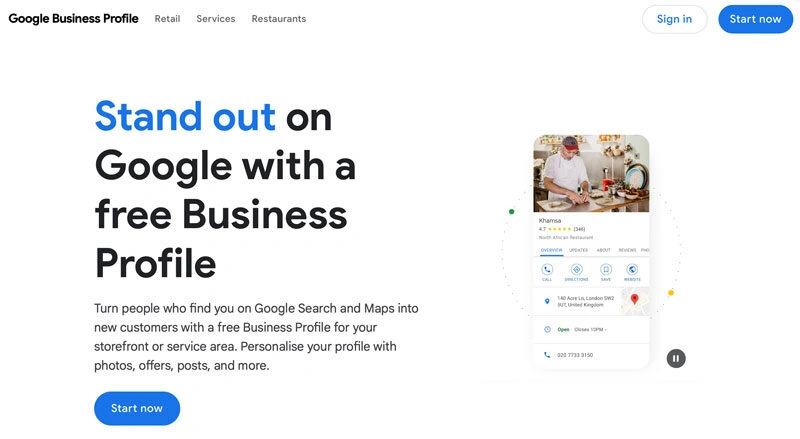
Go to google.com/business and either create a new profile or claim an existing one that may have been automatically generated for your address. This is the non-negotiable first step.
Verification process:
- Search for your business on Google Maps
- Click “Claim this business” if unclaimed
- Choose verification method (postcard, phone, email)
- Complete verification within the specified timeframe
- Upload required business documentation if requested
Step 2: Ensure 100% Profile Completeness
Incomplete profiles rank lower than complete ones. Google rewards businesses that provide comprehensive, accurate information.
Essential profile elements:
- Business name: Use your registered business name exactly
- Address: Complete, accurate physical address
- Phone number: Local Malaysian number preferred
- Website URL: Link to your homepage or dedicated landing page
- Business hours: Include holiday hours and temporary changes
- Business description: 750-character compelling summary with keywords
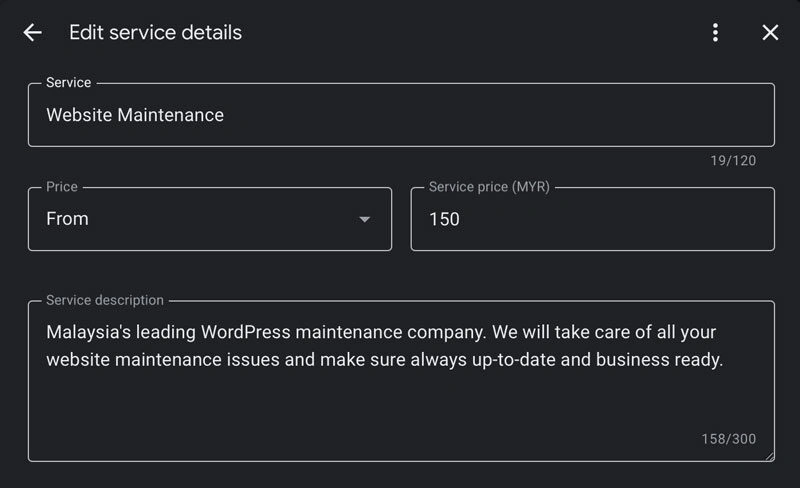
- Services / Products: List all relevant offerings
Step 3: Select Primary & Secondary Categories Correctly
Categories are crucial ranking factors. Choose the most specific category that accurately describes your main business activity.
Category selection strategy:
- Primary category: Most important business function
- Secondary categories: Additional services (maximum 9 total)
- Research competitors’ successful category choices
- Avoid generic categories when specific ones exist
- Update categories as your business evolves
Example for web services:
- Primary: Web Designer
- Secondary: Marketing Consultant, SEO Service, Computer Support Service
Step 4: Upload High-Quality Photos & Videos
Visual content significantly impacts click-through rates and conversion. Businesses with photos get 35% more clicks than those without.
Photo optimisation checklist:
- Exterior shots: Show your storefront or office building
- Interior photos: Clean, professional workspace images
- Team photos: Build trust with staff pictures
- Service photos: Show your work in action
- Product images: High-resolution, well-lit shots
- Logo upload: Current branding as profile picture
Technical specifications:
- Minimum 720px wide for photos
- JPG or PNG format
- File size under 5MB
- Horizontal orientation preferred
Step 5: Actively Use Google Posts & Q&A
Google Posts appear directly in your business profile, providing fresh content that can influence rankings and user engagement.
Effective posting strategy:
- Weekly posting schedule: Maintain consistent activity
- Post types: Updates, offers, events, product highlights
- Local keywords: Include location-specific terms naturally
- Call-to-action buttons: Use “Learn More,” “Call Now,” or “Book Online”
- Visual content: Always include images or videos
Q&A management:
- Monitor and respond to customer questions quickly
- Seed your own Q&A with common questions
- Provide helpful, keyword-rich answers
- Address concerns before they become negative reviews
Part 2: Building Authority and Trust Signals
Step 6: Get More Google Reviews (and Respond to Them)
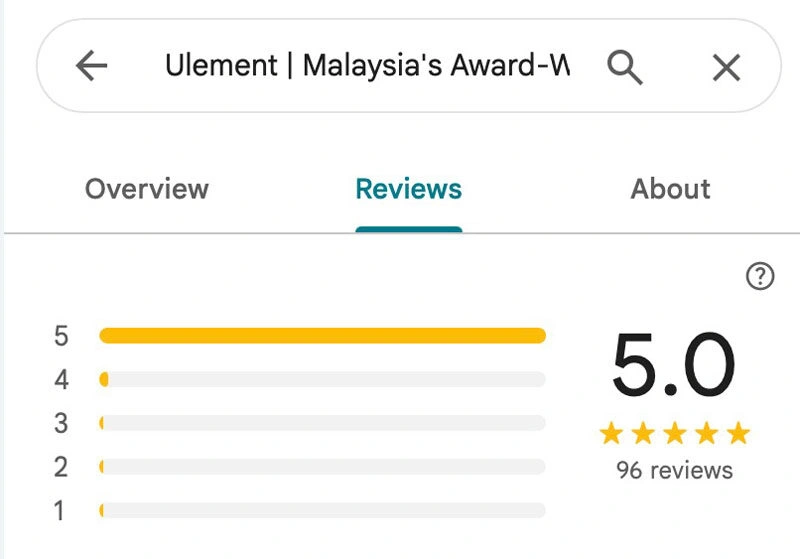
Reviews are the strongest local ranking factor after Google Business Profile completeness. Quality and quantity both matter, but authentic reviews provide lasting value.
Review generation strategies:
- Post-service follow-up: Send review requests after successful projects
- Direct ask: Simply request reviews from satisfied customers
- Review cards: Physical cards with QR codes linking to your review page
- Email signatures: Include review request links in signatures
- Website integration: Add review widgets and request buttons
Review response best practices:
- Respond to all reviews: Both positive and negative
- Personalised responses: Mention specific details from the review
- Professional tone: Even when addressing complaints
- Keywords naturally: Include service terms in responses
- Timely replies: Respond within 24-48 hours
Step 7: Build Consistent Local Citations (NAP)
Citations are online mentions of your business name, address, and phone number. Consistency across all platforms strengthens your local search authority.
Primary citation sources for Malaysian businesses:
- Yellow Pages Malaysia
- Foursquare / Swarm
- Facebook Business
- Bing Places
- Apple Maps
- Industry-specific directories
Citation optimisation:
- Use identical business information everywhere
- Include your website URL when possible
- Add business descriptions with local keywords
- Update citations when business information changes
- Monitor citations for accuracy using tools like Moz Local
Step 8: Earn Relevant Local Backlinks
Local backlinks from Malaysian websites boost your prominence signals and overall domain authority.
Effective link building tactics:
- Local business partnerships: Cross-promote complementary businesses
- Chamber of Commerce membership: Often includes website links
- Local news coverage: Share your business story with local media
- Community event sponsorship: Support local events for link opportunities
- Guest posting: Write for local business blogs and publications
- Supplier / vendor relationships: Ask business partners for links
Quality over quantity:
Focus on relevant, high-authority Malaysian websites rather than generic link farms. One quality local link often outperforms multiple low-quality international links.
Part 3: How Your Website Helps You Rank in Google Maps
Step 9: Optimise Your Website with Local Keywords
Your website content should clearly indicate your service areas and specialisations to support your Maps ranking.
Local keyword research:
- Primary terms: “web design Kuala Lumpur,” “website maintenance Penang”
- Long-tail variations: “affordable WordPress maintenance Selangor”
- Service + location combinations: “SEO services Johor Bahru”
- Neighborhood targeting: “website support Petaling Jaya”
On-page optimisation:
- Include location terms in title tags and meta descriptions
- Create location-specific headings (H1, H2, H3)
- Mention service areas naturally in content
- Use local landmarks and neighborhoods as reference points
Step 10: Create Location-Specific Service Pages
Dedicated pages for each service area you serve help Google understand your coverage and improve relevance for local searches.
Service area page structure:
- Page title: “Website Maintenance Services in City Name”
- Local content: Mention local business needs and challenges
- Contact information: Include local phone numbers if available
- Service details: Explain how you serve that specific area
- Local testimonials: Feature reviews from customers in that location
- Local business schema: Implement structured data for each location
Step 11: Embed a Google Map on Your Contact Page
Embedding a Google Map helps reinforce your location signals and provides user convenience.
Map implementation:
- Use Google Maps embed code (not screenshots)
- Show accurate business location pin
- Include surrounding landmarks for context
- Ensure map loads quickly on mobile devices
- Consider adding directions link for mobile users
Step 12: Implement Local Business Schema Markup
Structured data helps Google understand your business information and can improve your Maps visibility.
Essential schema elements:
{
  "@context": "https://schema.org",
  "@type": "LocalBusiness",
  "name": "Your Business Name",
  "address": {
    "@type": "PostalAddress",
    "streetAddress": "123 Business Street",
    "addressLocality": "Kuala Lumpur",
    "addressRegion": "Federal Territory of Kuala Lumpur",
    "postalCode": "50000",
    "addressCountry": "MY"
  },
  "telephone": "+60-3-1234-5678",
  "url": "https://yourbusiness.com",
  "priceRange": "$$",
  "openingHours": ["Mo-Fr 09:00-18:00"],
  "geo": {
    "@type": "GeoCoordinates",
    "latitude": 3.139003,
    "longitude": 101.686855
  }
}
How to Track Your Google Maps Ranking Performance
Using GBP Insights for Performance Data
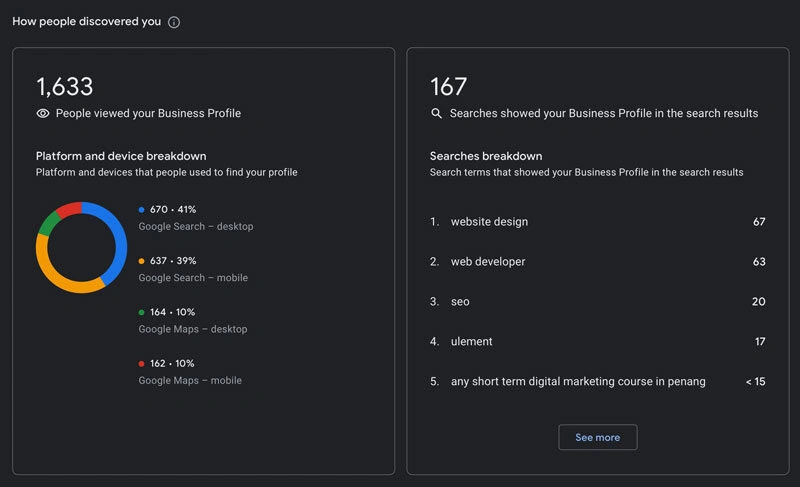
Google provides built-in analytics through your Business Profile insights dashboard.
Key metrics to monitor:
- Search queries: What terms people use to find you
- Views: How often your profile appears in search
- Actions: Clicks to website, calls, direction requests
- Photo views: Engagement with your visual content
- Driving directions requests: Local intent indicators
Manual Checks vs. Geo-Grid Rank Tracker Tools
Manual checking:
- Search from different devices and locations
- Use incognito mode to avoid personalised results
- Check various keyword combinations
- Monitor competitor positions
Professional tracking tools:
- BrightLocal: Comprehensive local SEO tracking
- Whitespark: Local rank tracking and citation management
- SEMrush: Includes local tracking features
- LocalFalcon: Precise geo-grid tracking
Common Mistakes That Hurt Your Google Maps Ranking
- Profile inconsistencies: Different business information across platforms confuses Google and dilutes ranking signals.
- Keyword stuffing: Unnaturally forcing keywords into business names or descriptions can result in penalties.
- Fake reviews: Purchasing or incentivizing fake reviews violates Google policies and can result in profile suspension.
- Inconsistent posting: Irregular Google Posts activity signals to Google that your business isn’t active.
- Ignoring negative reviews: Unaddressed complaints hurt your reputation and discourage future customers.
- Wrong business categories: Choosing irrelevant categories for perceived ranking benefits actually hurts relevance signals.
- Incomplete profile information: Missing hours, photos, or contact details reduce your competitiveness.
FAQ
Safeguarding Your SEO Success Post-Migration
Ranking in Google Maps is a marathon, not a sprint. It’s the result of a consistent, long-term strategy focused on providing a great customer experience and sending clear, consistent signals to Google. By treating your Google Business Profile as a vital, active part of your business, you can turn it into a powerful engine for local customer growth.
Ready to get your business on the map and attract more local customers?
