A competitive WordPress SEO analysis is the process of reviewing rival websites to spot gaps and ranking chances. It helps site owners find high-value keywords, backlink sources, and weak spots in their competitors’ SEO. The result: better search visibility and faster wins for your own site.
Why Perform a Competitive WordPress SEO Analysis?
Performing a competitive analysis reveals the specific strategies your rivals use to dominate search results. This audit saves time by highlighting proven keywords and content structures, allowing WordPress users to bypass trial-and-error phases and focus resources on tactics with demonstrated ROI.
Understanding the “Reverse Engineering” SEO Strategy
Reverse engineering in SEO means breaking down a top-ranking competitor’s site to learn why it works. Rankings are clues: if a rival ranks #1, Google or Bing favours their mix of content, speed, and authority. By analysing their heading structure, keyword density, and internal linking, you create a blueprint for your own WordPress site. Think of this like a chef tasting a famous dish to deduce the secret ingredients before cooking their own improved version.
Identifying Low-Hanging Fruit and Content Gaps
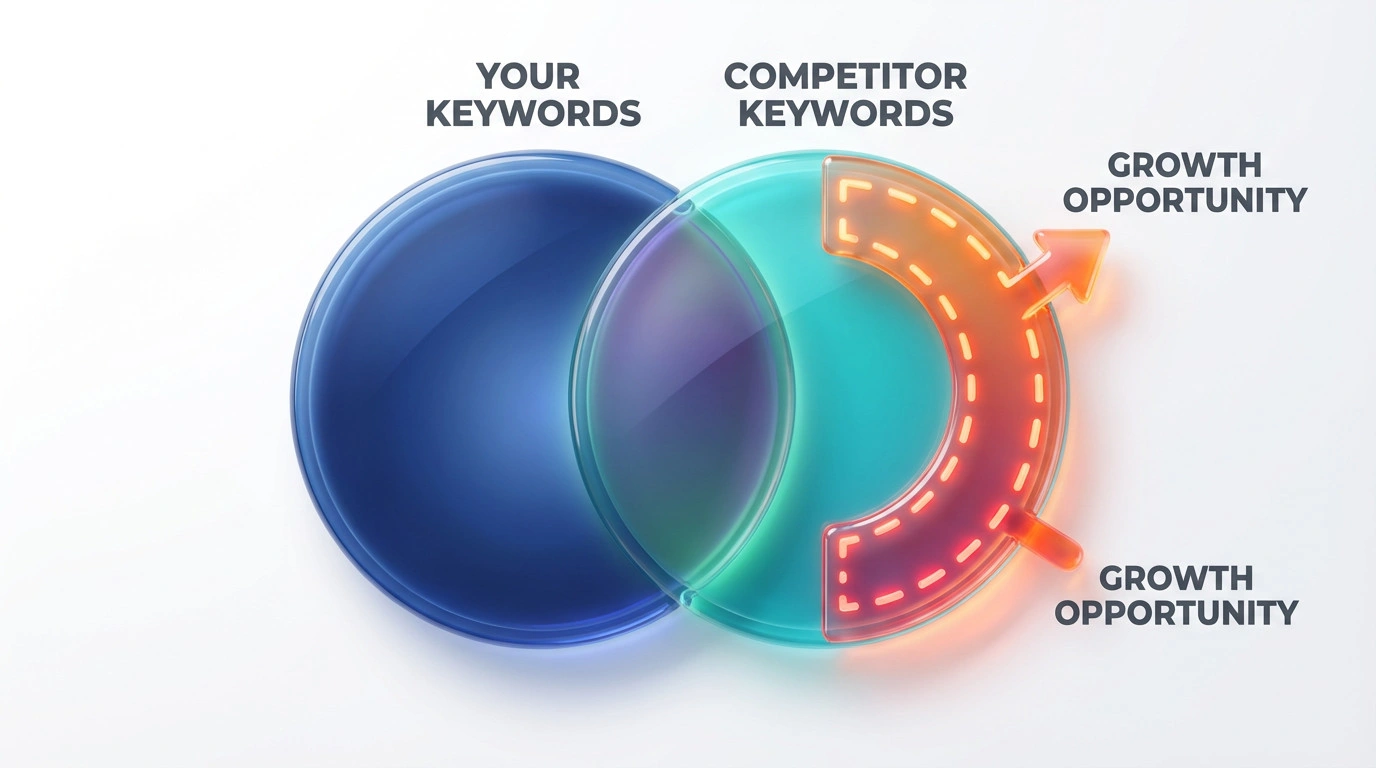
Content gaps are topics or keywords your competitors rank for, but your WordPress site does not. Identifying these gaps provides “low-hanging fruit” keywords with established traffic potential that you can target immediately. Tools like SERanking or Ahrefs visualise these gaps, showing exactly where your competitors are answering user questions that you have ignored. Filling these voids is often the fastest route to increasing organic traffic.
Essential Tools for Competitor Analysis in WordPress
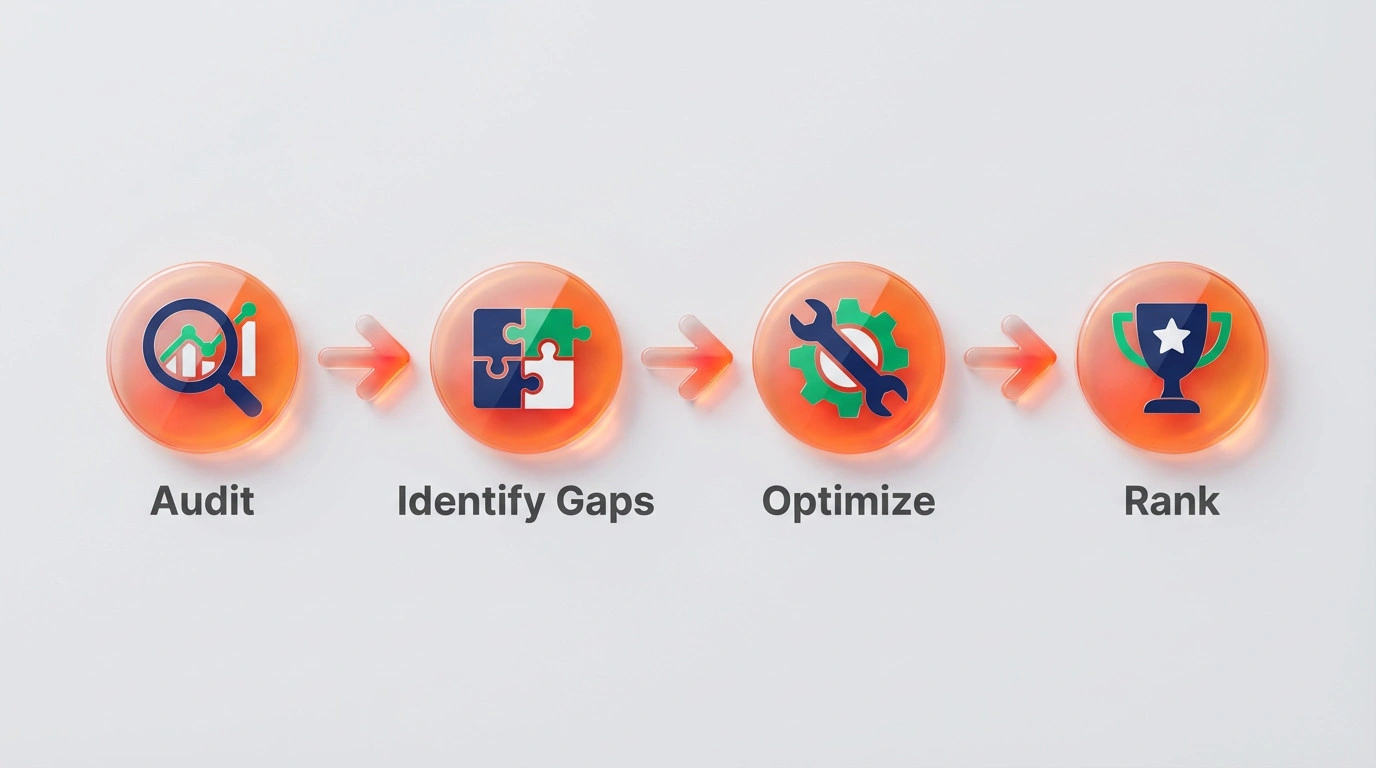
The essential tools for competitor analysis include native WordPress plugins for on-site data and external SaaS platforms for market intelligence. Using a combination of internal tools like SEOPress and external scanners like SERanking ensures a holistic view of both your technical health and your competitors’ strategies.
- Keyword gap tools: SERanking, Ahrefs, or Semrush to find keywords competitors rank for.
- Backlink analysis: Review referring domains and anchor text patterns.
- On-page SEO plugins: SEOPress or Yoast SEO for meta and schema audits.
- Technical checks: Google PageSpeed Insights for Core Web Vitals benchmarks.
- SERP tracking: Monitor ranking changes weekly to measure progress.
Native WordPress Plugins (SEOPress, Yoast SEO)
Native SEO plugins provide immediate feedback on how your content stacks up against general best practices. Plugins such as SEOPress or Yoast SEO analyse your pages in real-time, offering suggestions based on target keywords. While these tools do not directly “spy” on competitors, they ensure your foundation meets the same technical standards as the top-ranking sites.
External Intelligence Tools (SERanking, Ahrefs, SpyFu)
External intelligence tools are software platforms that crawl the web to aggregate data on keyword rankings and backlink profiles. SERanking and Ahrefs are industry standards for digging into competitor data that is not visible on the surface. These tools act like X-ray vision, revealing the hidden keyword strategies and backlink networks powering your rivals’ success.
Free Browser Extensions for Quick Audits
Free browser extensions offer instant insights into on-page elements while browsing competitor sites. Tools like SEO Minion or Detailed SEO Extension allow you to view a competitor’s heading hierarchy, schema markup, and meta tags with a single click. These are perfect for quick, spot-checks when you want to understand how a specific page is structured without running a full audit.
Step 1: Analysing Competitor Keyword Strategies
Analysing competitor keyword strategies requires identifying the specific search terms driving traffic to rival websites. This step moves beyond guessing what users search for and relies on hard data to build a keyword list that has already proven valuable in your niche.
Finding High-Volume, Low-Competition Keywords
High-volume, low-competition keywords are search terms with significant traffic but fewer websites targeting them. Competitors often rank for these “sweet spot” keywords accidentally or with weak content. By identifying these terms, you can create targeted WordPress posts that outdo their efforts. Look for keywords where the top results are forums or outdated blog posts; these are prime targets for a takeover.
Mapping Competitor Keywords to Your WordPress Categories
Keyword mapping is the process of assigning specific target keywords to relevant pages or categories on your WordPress site. Once you have a list of competitor keywords, you must decide where they fit in your site architecture. Do they belong in an existing “Services” page, or do they require a new blog post? Proper mapping prevents keyword cannibalisation, where multiple pages on your site compete for the same term.
Step 2: On-Page SEO and Content Structure Comparison
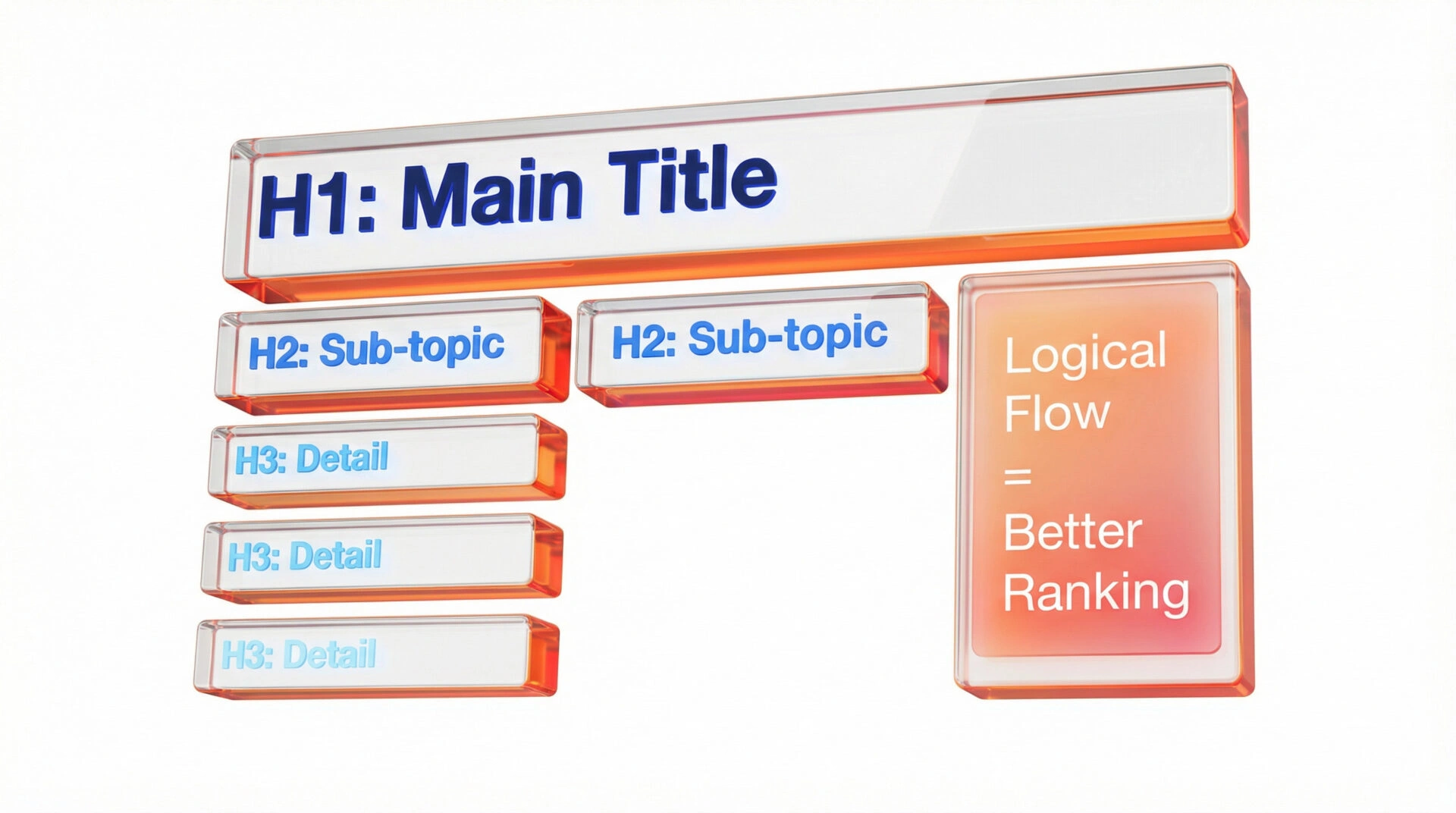
On-page SEO comparison involves evaluating how competitors structure their content to satisfy user intent and search algorithms. This analysis looks at tangible elements like word count, media use, and HTML tags to understand the “shape” of a ranking page.
Evaluating Heading Structures (H1-H6) and Meta Tags
Heading structure evaluation is the assessment of how competitors organise their content using H1 through H6 tags. Top-ranking pages usually follow a logical hierarchy that guides both readers and bots through the topic. If your competitor uses H2s for main questions and H3s for detailed steps, mimicking this clarity can help search engines parse your content more effectively.
Analysing Content Length and Media Usage
Content length analysis determines the average word count and depth required to rank for a specific topic. If the top five results for a query all exceed 2,000 words and include video content, a 500-word text-only post is unlikely to compete. However, longer isn’t always better; focus on “information density”—how much value is packed into the content.
Checking for Schema Markup and Rich Snippets
Schema markup is code that helps search engines understand the context of your content, often leading to rich snippets in search results. Competitors might be using FAQ, HowTo, or Product schema to gain more visual real estate on the SERP (Search Engine Results Page). Using a tool to detect their schema types allows you to implement the same structured data on your WordPress site using plugins like RankMath.
Step 3: Technical Performance and UX Benchmarking
Technical performance benchmarking compares your site’s speed and user experience metrics against your competitors. Since Google’s Core Web Vitals update, technical stability is a confirmed ranking factor, making this comparison critical for competitive parity.
Comparing Core Web Vitals and Site Speed

Core Web Vitals are specific metrics Google uses to measure user experience, focusing on loading, interactivity, and visual stability. Tools like Google PageSpeed Insights can reveal exactly where your WordPress site lags behind, whether it is unoptimised images or heavy JavaScript. Once diagnosed, caching solutions like FlyingPress or image optimisers like eWWW can resolve these issues directly within the dashboard without requiring custom code.
Mobile Responsiveness and Theme Analysis
Mobile responsiveness refers to how well a website adapts to different screen sizes, particularly smartphones. With mobile-first indexing, Google predominantly uses the mobile version of the content for indexing and ranking. Analysing whether competitors use lightweight, responsive WordPress themes can inform your own design choices. If their mobile experience is seamless and yours is clunky, you are likely losing rankings regardless of content quality.
Step 4: Off-Page Analysis and Backlink Profiling
Off-page analysis examines the external signals, primarily backlinks, that contribute to a competitor’s domain authority. Understanding who links to your competitors helps you build a roadmap for your own link-building campaigns.
Identifying Competitor Link Sources
Link source identification involves finding the specific domains and pages that link to your competitors. If a rival has a high-quality link from a major industry publication, you can inspect that link to understand why they earned it. Was it a guest post? A resource citation? This insight allows you to approach the same sources or similar publications with a clear value proposition.
Finding Broken Link Building Opportunities
Broken link building is a tactic where you find broken external links on other sites that point to your competitors and suggest your content as a replacement. Competitors often delete pages or change URL structures, leaving dead links across the web. Tools like Ahrefs can spot these 404 errors. Reaching out to the linking site with a polite “heads up” and a link to your relevant content is a high-success strategy.
Implementing Your Findings Directly in WordPress
Implementing SEO findings transforms raw data into actionable changes on your WordPress website. This is the execution phase where analysis meets content creation and technical optimisation.
Optimising Existing Posts Based on Competitor Data
Optimising existing posts involves updating older content to match or exceed the standards set by current top-ranking competitors. If your analysis revealed that competitors answer five specific questions you missed, add a FAQ block to your existing post. Update your meta titles, refresh your images, and ensure your keyword density matches the current landscape.
Creating New “Skyscraper” Content to Fill Gaps
Skyscraper content is a strategy of finding popular content and creating a significantly better version of it. If a competitor has a “Top 10” list that attracts thousands of visits, you create a “Top 20” list with more depth, better graphics, and updated information. This new content serves as a pillar for your site, attracting links and traffic that previously went to your rivals.
Conclusion: Turning Analysis into Action
Competitive WordPress SEO analysis provides the roadmap, but consistent execution drives results. By systematically auditing keywords, content structure, and technical performance, you move from guessing to knowing. Start with the “low-hanging fruit” of content gaps, optimise your technical foundation, and then scale your efforts with skyscraper content.
Ready to Outrank Your Competition?
Conducting a manual analysis is time-intensive, but the data is critical for your growth. If you prefer a professional, deep-dive audit without the learning curve, Ulement specialises in technical diagnostics and next-generation AI strategy.
Future-Proofing for AI Search? Traditional SEO is evolving. Explore our AI & Generative Optimisation Services to ensure your brand remains visible in the age of ChatGPT, Google Gemini, and SGE.
Need a Technical Deep Dive? Our Site Audit & Analysis Service uncovers the hidden technical errors and opportunity gaps slowing down your WordPress site. We turn complex data into a clear, actionable roadmap.
