A website redesign isn’t just a visual update, it’s an infrastructure transplant. You’re moving your content, your reputation, and years of hard work from one system to another.
Over my 16+ years managing WordPress migrations for Malaysian SMEs and enterprises, I’ve seen businesses treat redesigns purely as “design projects.” They focus on the fonts and forget the foundations. The result? Catastrophic traffic drops within weeks of launch.
Why Website Migrations Fail Without Proper Audits
What is website migration? Website migration is the process of transferring your site’s content, structure, and technical foundation from one platform or domain to another whilst preserving search engine rankings, user access, and business revenue.

The Building Construction Analogy
Why do you need both a pre-redesign and post-migration audit? You need both audits because the pre-redesign audit prevents problems before construction begins (like an architectural blueprint), whilst the post-migration audit catches problems after launch (like a building safety inspection). Skipping either risks structural failure and business losses.
Think of your website migration like constructing a new office headquarters:
Without a Pre-Construction Survey (Pre-Redesign Audit):
- Your filing cabinets with 10 years of client records won’t fit through the new doorways
- Your most profitable department gets relocated to the basement with no natural light
- The address change wasn’t communicated to suppliers, so deliveries get lost
- Revenue drops 60% in the first month because operations collapse
Without a Post-Construction Inspection (Post-Migration Audit):
- The fire alarms look installed but aren’t actually connected
- Plumbing leaks inside the walls go undetected
- Emergency exits are accidentally locked from the inside
- Water damage ruins inventory before anyone notices the problem
To protect your business revenue, you must treat the redesign as a complete engineering cycle requiring two distinct phases:
- The Pre-Redesign Blueprint – Prevention and planning before you touch a single line of code
- The Post-Migration Inspection – Recovery and verification within 48 hours of launch
Here’s the mechanical logic of why you cannot afford to skip either one.
Understanding the Migration Cycle
Think of your website migration like constructing a new headquarters:
The Pre-Redesign Audit captures a baseline of your current performance and creates a technical mandate for the new site. It defines where your high-traffic pages are and ensures the new foundation is strong enough to hold them.
The Post-Migration Audit verifies that everything works after launch. It confirms that redirects function, search engines can access your content, and no technical errors block your users.
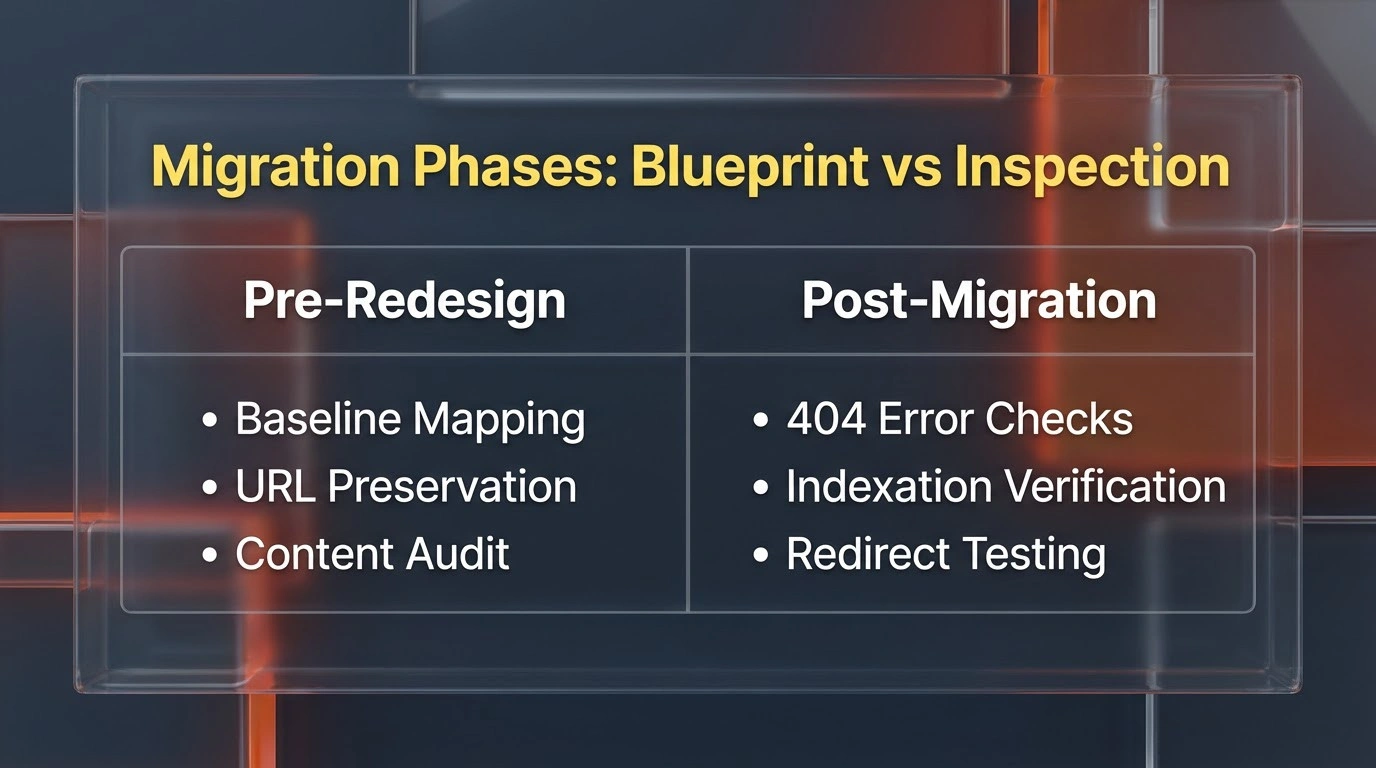
Skip the first step, and you delete valuable assets without knowing their worth. Skip the second, and critical errors go unnoticed until traffic has already collapsed.
Phase 1: The Pre-Redesign Audit (The Blueprint)
What does a pre-redesign audit do? A pre-redesign audit captures a baseline of your current performance, identifies your most valuable SEO assets, and creates a technical preservation mandate for the new site to prevent ranking losses during migration.
Goal: Document What Matters Before You Change It
You cannot know if your new site is “better” without measuring how the old site performed. Before a single pixel is designed, we must freeze the data.
Preserving Your Digital History
Search engines trust your current site because of its history. Delete that history without a plan, and you reset your reputation to zero.
This phase identifies your most valuable assets:
- High-ranking pages that drive conversions and revenue
- Authoritative backlinks from trusted domains in your industry
- Content clusters that establish topical authority in your niche
- Technical elements that support crawlability and indexation
For example, when we migrated a Malaysian ecommerce client from Magento to WooCommerce, we discovered that 80% of their organic revenue came from just 15 product pages. Without documenting this beforehand, the design team would have restructured those URLs—wiping out years of ranking equity overnight.
Key Deliverables from This Phase
The Benchmark Report
We record your current traffic sources, page speed metrics, keyword positions, and conversion paths. This becomes your control data for measuring post-migration success.
The Redirect Map
We list every URL that exists now and decide exactly where it goes on the new site. This prevents broken links and preserves link equity accumulated over years.
The Content Kill List
We identify low-quality content that should be removed so it doesn’t weigh down the new site or dilute topical authority. Thin content actively harms your domain authority.
Read the Pre-Redesign Technical Blueprint Guide

Pre-Redesign SEO Audit: The Technical Blueprint to Protect Your Rankings
Phase 2: The Post-Migration Audit (The Inspection)
What does a post-migration audit check? A post-migration audit verifies that all redirects work correctly, search engines can crawl and index the new site, no technical errors block access, and ranking signals successfully transfer to new URLs—ideally conducted within 48 hours of launch.
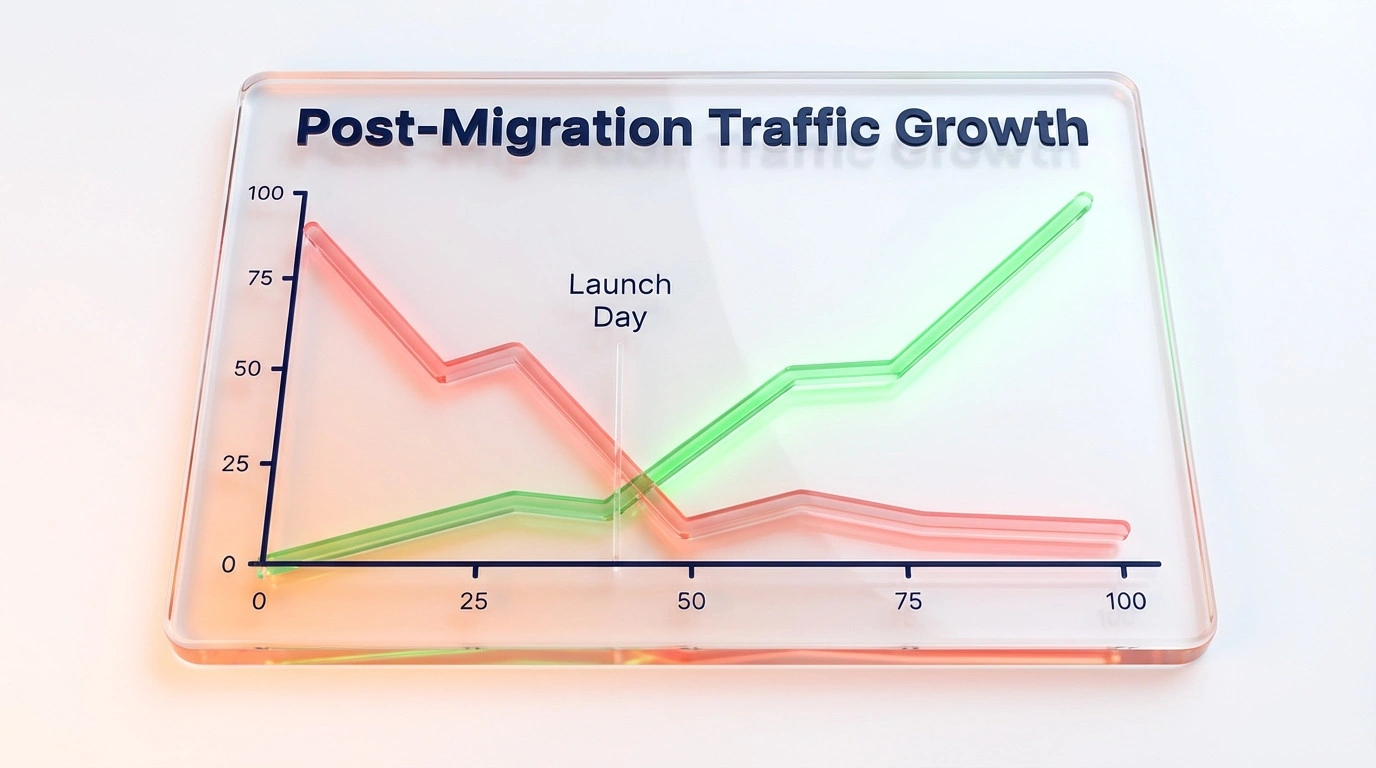
Goal: Catch and Fix What Broke During Launch
No matter how skilled your developers are, things break during migrations. Servers are misconfigured. Robots.txt files accidentally block search engines. Redirect chains form. Canonical tags point to the wrong URLs.
The Post-Migration audit is a forensic investigation conducted immediately after the site goes live—before search engines have time to devalue your pages.
Verifying the Recovery
Ranking fluctuations are normal after a launch. However, there’s a difference between a “fluctuation” and a “freefall.”
This audit distinguishes between the two and ensures search engines can:
- Crawl your new structure without encountering errors or blocks
- Index pages correctly in their database with proper metadata
- Understand your updated site architecture and internal linking
- Transfer ranking signals from old URLs to new destinations seamlessly
I once audited a launch where the development team accidentally left the staging site’s robots.txt file in place. For three days, Google couldn’t crawl a single page. By the time they noticed, organic traffic had dropped 67%. We caught it within 18 hours using our post-migration protocol and recovered 90% of rankings within two weeks.
Key Deliverables from This Phase
Indexation Health Check
Is Google actually reading and indexing the new pages? We verify coverage status in Google Search Console and identify indexation blockers.
Redirect Chain Verification
Did the 301 redirects we mapped in the Pre-Audit actually work? We test for redirect chains, loops, and 404 errors that leak link equity.
Technical Performance Audit
Is the new design actually faster, or did the code become bloated? We apply our speed optimisation standards to measure Core Web Vitals, server response times, and rendering performance.
Read the Post-Migration Checklist Guide

Post-Migration SEO Audit: The Ultimate Checklist & Guide to Traffic Recovery
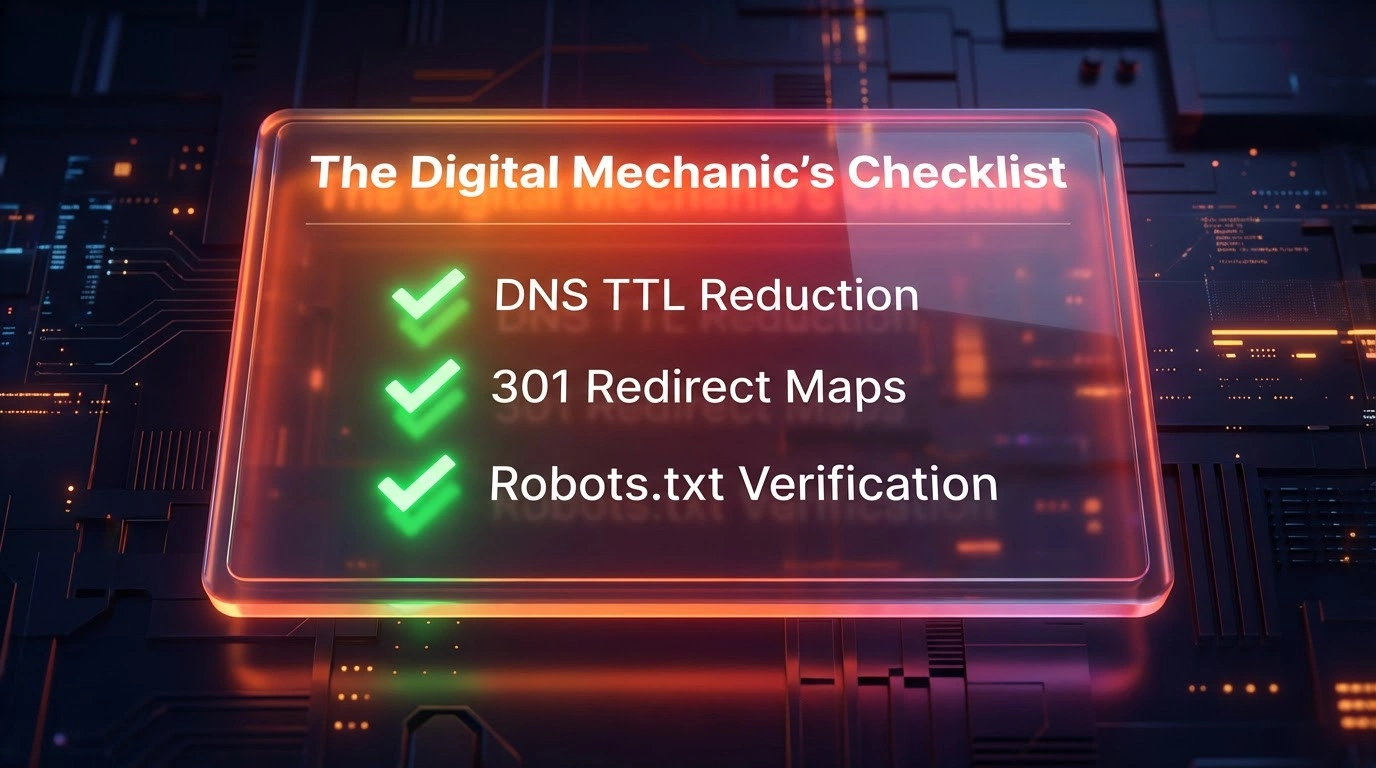
The Digital Mechanic’s Migration Checklist (Technical)
Use this checklist to ensure your migration is engineered, not just “launched”.
Phase 1: The Pre-Flight (Staging & Data)
- [ ] The Serialization Safety Check (Critical for WordPress):
- The Risk: Do not simply find/replace URLs in a
.sqltext file. This breaks serialized data (arrays that store plugin settings and widgets), causing your site to break. - The Fix: Use a serialization-safe tool like WP-CLI (
wp search-replace) or the Better Search Replace plugin to handle URL updates in thewp_optionsandwp_postmetatables.
- The Risk: Do not simply find/replace URLs in a
- [ ] The “Entity” Freeze:
- For AEO/GEO: Before moving, document your current “Entity Identity” (how Google sees your brand). Check your Knowledge Panel and Google Business Profile. Ensure your new site schema (Organization, LocalBusiness) matches this exactly to prevent AI confusion.
- [ ] Server Compatibility Match:
- Ensure your new host runs a compatible PHP version (e.g., moving from PHP 7.4 to 8.3 can break older plugins).
- [ ] The Nginx vs. Apache Trap:
- If moving from a standard host (Apache) to a high-performance cloud host (Nginx), your
.htaccessredirect rules will not work. You must convert them to Nginx configuration blocks.
- If moving from a standard host (Apache) to a high-performance cloud host (Nginx), your
Phase 2: The Switch (Launch Window)
- [ ] DNS TTL Reduction:
- Lower your DNS “Time to Live” (TTL) to 300 seconds (5 minutes) 24 hours before launch. This ensures the world sees your new site instantly, rather than waiting 48 hours for propagation.
- [ ] The “No-Index” Removal:
- Most Common Error: Staging sites often have a “Discourage search engines” box ticked in WordPress Settings. Untick this immediately upon launch.
- [ ] Flush Rewrite Rules:
- Go to Settings > Permalinks and click “Save Changes” (even if you changed nothing). This forces WordPress to regenerate its
.htaccessor routing rules, fixing 404 errors on inner pages.
- Go to Settings > Permalinks and click “Save Changes” (even if you changed nothing). This forces WordPress to regenerate its
Phase 3: The Verification (AEO & SEO)
Google uses Mobile-First Indexing. Verify that your mobile menu contains the same internal links as your desktop menu. If you hide links on mobile to “save space,” you are telling Google those pages are unimportant.
- [ ] The Robot Trap:
- Check
robots.txt. Ensure you are not blockingGooglebotor AI crawlers (likeGPTBot) if you want to be visible in ChatGPT or Perplexity.
- Check
- [ ] Entity Consistency Check (AEO):
- If you changed your domain name, update your “SameAs” Schema markup immediately. Update your social profiles, Google Business Profile, and major citations (Crunchbase, LinkedIn) within 24 hours. AI relies on these consistent signals to trust the new domain.
- [ ] The Mobile Parity Check:
- Google uses Mobile-First Indexing. Verify that your mobile menu contains the same internal links as your desktop menu. If you hide links on mobile to “save space,” you are telling Google those pages are unimportant.
Service Comparison: How They Work Together
|
Feature |
Pre-Redesign Audit |
Post-Migration Audit |
|---|---|---|
|
Timing |
2 months BEFORE design starts |
48 hours AFTER launch |
|
Primary Goal |
Prevention – Creating the plan |
Recovery – Fixing the bugs |
|
Key Activity |
Mapping URLs and defining preservation rules |
Crawling for 404 errors, redirect loops, and indexation blocks |
|
Risk of Skipping |
Loss of historical ranking data and revenue |
Indexing failures causing traffic freefall |
|
Real-World Analogy |
The Architectural Blueprint |
The Building Safety Inspection |
|
Ulement Deliverable |
Benchmark report + redirect map + content audit |
Technical health report + indexation status + performance audit |
The Chain of Data Custody: Why You Need Both
What is the chain of custody in website migration? The chain of custody is a documented process that tracks how your SEO assets (rankings, backlinks, content equity) are preserved, transferred, and verified throughout the migration cycle to ensure no value is lost during the transition.
You cannot separate the “Technical” from the “Content” or the “Design.” They’re all part of the same machine.
Expert note: Skip the Pre-Audit, and designers might remove text that drives your sales because they want a “cleaner look.”
Expert note: Skip the Post-Audit, and the server might inadvertently block users from accessing that new content—or worse, Google might deindex entire sections of your site.
By linking these two services, we create a Chain of Custody for your data. We ensure that the value you built over the last five years is safely transferred, preserved, and optimised for the next five years.
As website expert with 16+ years of migration experience, I’ve developed this two-phase framework after rescuing dozens of botched migrations. It’s not theory, it’s battle-tested methodology.
Success Case Study
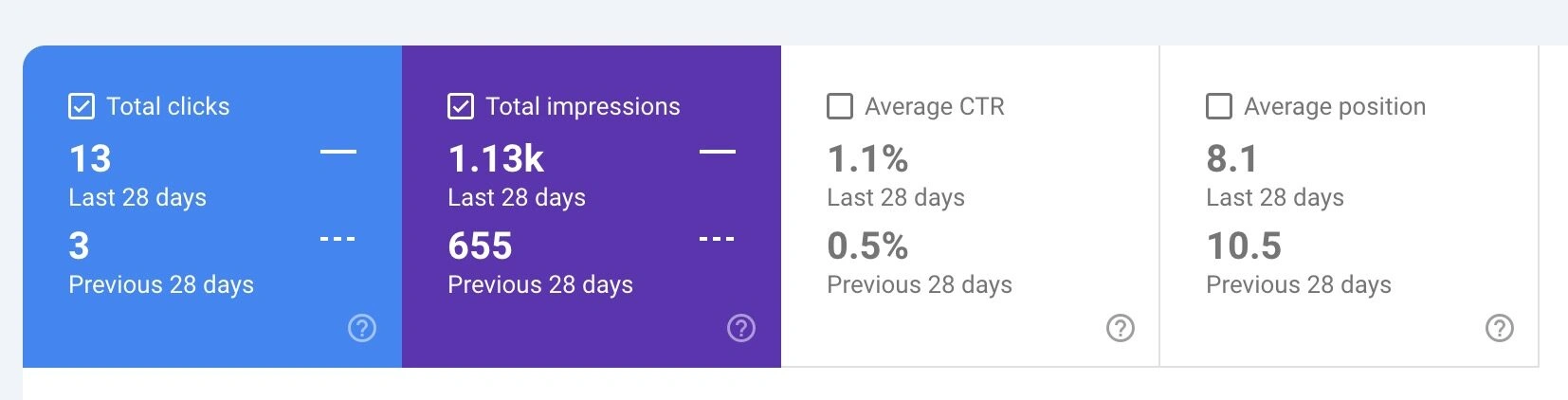
Real-World Results: Post-Migration Performance The ultimate goal of the website migration cycle is not just to launch without errors, but to maintain and grow your organic search visibility. The screenshot above from Google Search Console illustrates a successful migration outcome over a 28-day period immediately following the launch.
Comparing the last 28 days to the previous period, we can see immediate positive signals:
- Clicks More Than Quadrupled: The most critical metric, Total Clicks, jumped from 3 to 13. This represents a 333% increase, proving that the new site isn’t just ranking, it is compelling users to actually visit.
- Increased Visibility: Total impressions nearly doubled, jumping from 655 to 1.13k, 72.5% increase.
- Higher Rankings: The Average Position improved significantly from 10.5 to 8.1, pushing the site’s pages higher onto the first page of search results.
- Better Engagement: The Click-Through Rate (CTR) more than doubled from 0.5% to 1.1%, indicating that the new site structure or metadata is more appealing to users.
This data confirms that the migration steps: from technical SEO checks to redirect mapping were executed correctly, resulting in a net gain in organic traffic.
Choose Your Migration Path
How do I choose between full migration service and audit-only service? Choose full migration service if you need end-to-end strategy, design, and technical execution with SEO baked in. Choose audit-only service if you already have a development team but need independent verification and expert oversight to prevent ranking losses.
Would You Move Without These Safeguards?
A website revamp is the most dangerous time for your business’s digital health. It’s like relocating your entire business operations to a new building:
- You wouldn’t move without surveying what needs to be transferred
- You wouldn’t skip the final inspection before moving in employees
- You wouldn’t guess whether the utilities are properly connected
Yet businesses attempt website migrations without these safeguards every day and lose years of SEO investment in the process.
Don’t leave it to chance. You need a partner who understands the machine before they take it apart—and one who can tune it up once it’s reassembled.
Option 1: The Full Build (Best Value)
Stop worrying about the technical details. Let Ulement handle the strategy, design, and migration safety in one seamless package. We’ve successfully migrated over 200+ WordPress sites for Malaysian businesses without losing rankings.
Option 2: The Audit Only
Already have a developer? Ensure they’re doing it right with our independent verification:
