Ulement recently audited a hospital website in Malaysia. We found serious gaps in its website accessibility guidelines. Font sizes were too small. Colour contrast failed basic checks. Navigation broke. Layouts shifted without warning. The site was hard to use for most visitors. For patients with disabilities, it was far worse. When a healthcare site fails everyday users, it fails the people who need assistive tools the most.
The website is fast enough for the marketing team, pretty enough for the brand team, and still a liability for the board. Not because of colours or copy, but because of an inexperienced, template-first agency approach that ignores modern website accessibility guidelines and the exact semantic structures that Google, SGE and large language models use to read the web. A pretty interface on top of inaccessible, slow infrastructure is not just an ethical failure. It kills conversion rates, wastes ad spend on traffic that was never going to convert, and creates an expensive, measurable business risk the board cannot ignore.
Introduction: Accessibility Is an Architectural Choice
Only 5.2 per cent of websites pass WCAG standards for ADA or EAA compliance. When a site locks out people with disabilities, it blocks up to 15 per cent of Malaysia’s population, equating to more than four million citizens. It simultaneously sends negative signals to search engines that now evaluate structure, semantics and Core Web Vitals before deciding whether a page deserves to surface in search, SGE panels or AI summaries.
With the European Accessibility Act enforceable since June 2025 and WCAG 2.2 recognised as ISO/IEC 40500:2025, Malaysian enterprises that sell or service overseas markets are already inside a global compliance net. Accessibility is not a cosmetic feature. It is an architectural choice. Strong website accessibility guidelines must be built in from the start — across the server layer, caching, HTML structure and design system. Bolted on later, they always feel like a patch.
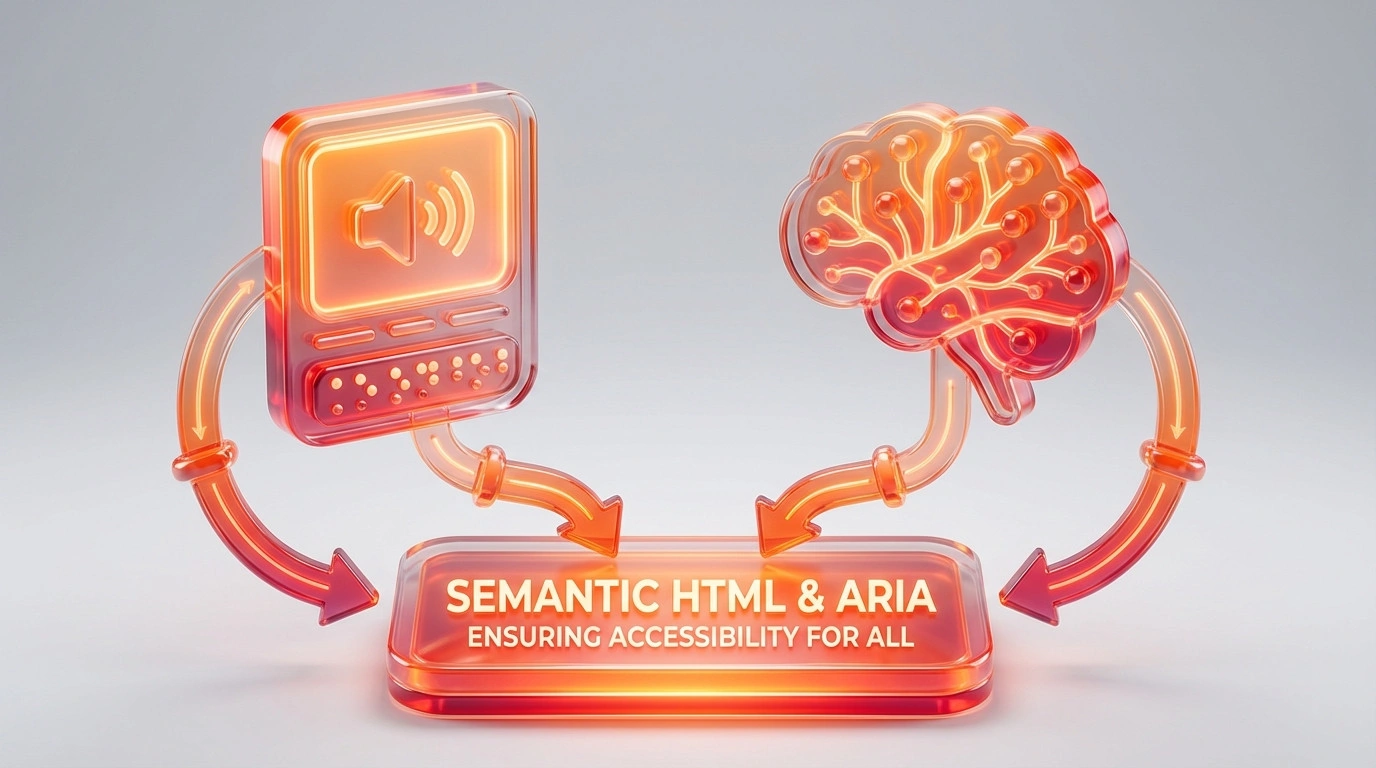
This is exactly where Ulement works, bridging boardroom strategy and deep technical execution through our Canonical Bridge, proprietary infrastructure telemetry and strict semantic foundations. Building an accessible website is fundamentally tied to building a robust technical architecture. The semantic HTML that helps a screen reader is the same structure that Answer Engine Optimisation (AEO) needs to extract enterprise data. When developers build for WCAG 2.2, they also build for Large Language Models.
What is WCAG 2.2 and The Current Global Standard
The Web Content Accessibility Guidelines (WCAG), produced by the World Wide Web Consortium (W3C), are the primary global reference for digital accessibility. The standard provides testable, technology-neutral success criteria that organisations use to measure conformance. The same principles apply whether a site runs on WordPress, a custom headless stack or any enterprise platform.
| Version | Year | Criteria | Key Focus |
| WCAG 2.0 | 2008 | 61 | Base framework, POUR principles |
| WCAG 2.1 | 2018 | 78 | Mobile, low vision, cognitive |
| WCAG 2.2 | Oct 2023 | 86 | Motor, cognitive, mobile-first; ISO/IEC 40500:2025 |
WCAG operates on a principle of backward compatibility. Conforming to WCAG 2.2 AA automatically satisfies WCAG 2.1 AA and WCAG 2.0 AA, giving legal teams a highly defensible position in a single target. The latest update adds nine new success criteria to WCAG 2.1, removes the obsolete 4.1.1 Parsing criterion, and brings the total guidelines to 86 measurable requirements. The parsing criterion was retired because modern browsers handle HTML errors gracefully and assistive technologies now read directly from the browser accessibility tree.
The Four POUR Principles & Conformance Levels

Every one of the 86 testable success criteria sits under the POUR model. At Ulement, we treat POUR as engineering guard rails that shape every decision from HTML structure to caching strategy.
- Perceivable: Information must reach at least one sense. A vital graph conveyed only as a PNG with no alt text fails this principle and becomes invisible to search engines and LLMs simultaneously.
- Operable: Every interface must work for someone using only a keyboard, voice control or switch device. Slow pages and layout shifts that cause focus to jump break operability and drive early exits during checkout and sign-in.
- Understandable: Content must use plain language, inputs must be clearly labelled, and actions must not trigger surprising changes. Unpredictable behaviour spikes cognitive load and abandonment.
- Robust: Code must work reliably across browsers, devices and assistive technologies. Clean HTML, semantic structure and careful ARIA use ensure screen readers, search engines and LLM crawlers all interpret a site correctly.
WCAG divides these principles into three conformance levels.
| Level | Criteria | Focus | Enterprise Guidance |
| A | ~30 | Alt text, basic keyboard, pre-recorded captions | Minimum floor only; legally insufficient |
| AA | ~50 | Contrast, reflow, focus, errors, navigation | Standard target in laws and contracts |
| AAA | 86 | 7:1 contrast, sign language, reading controls | Selected criteria on critical pages |
Level AA is the only defensible default for Malaysian enterprises operating regionally or globally. At Ulement, we architect for Level AA by design and layer in targeted AAA features where they add measurable value, such as high-contrast modes on critical self-service pages.
Key Differences: WCAG 2.1 vs. WCAG 2.2
WCAG 2.2 introduces precise technical refinements to how users interact with complex web applications.
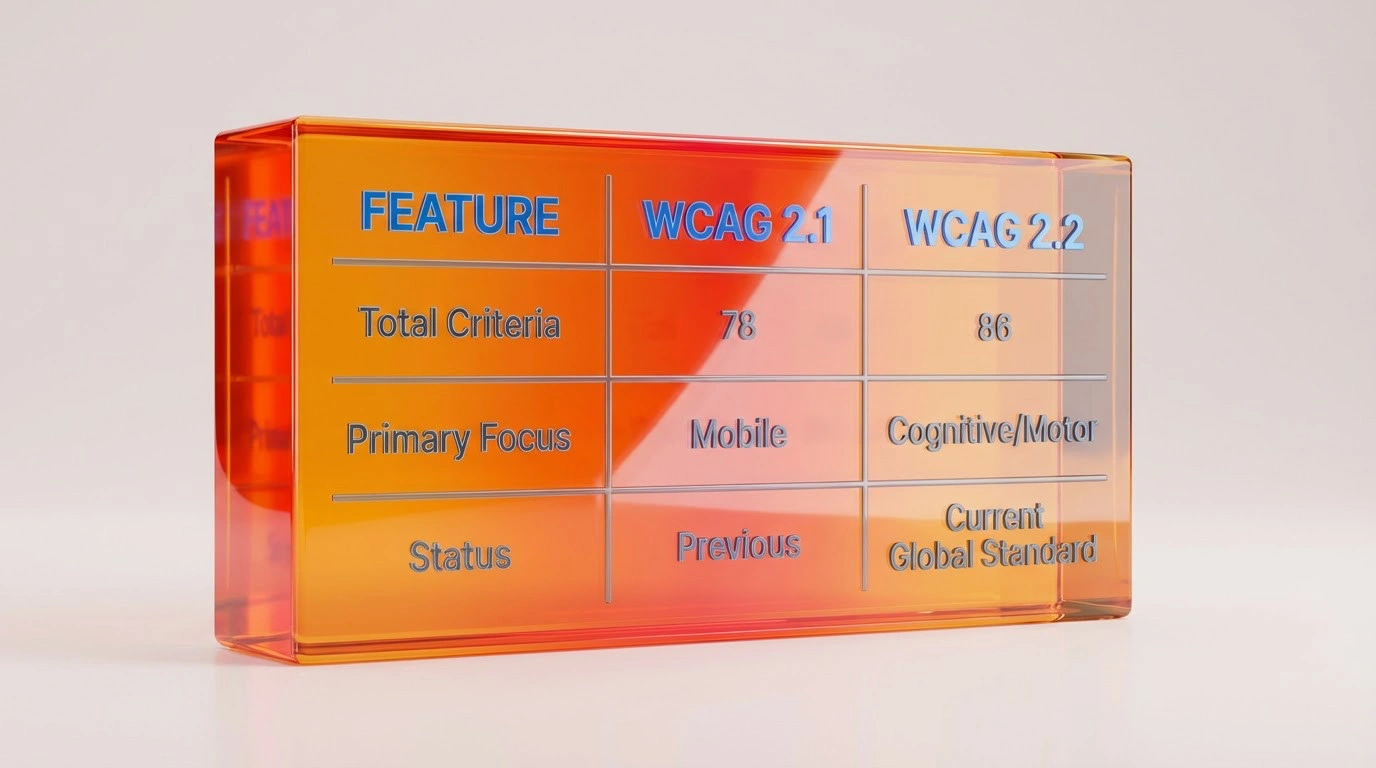
| Change Focus | WCAG 2.1 Baseline | WCAG 2.2 Update |
| Total success criteria | 78 requirements | 86 requirements |
| New Level A criteria | Not applicable | 2 new additions |
| New Level AA criteria | Not applicable | 4 new additions |
| New Level AAA criteria | Not applicable | 3 new additions |
| Removed criteria | 4.1.1 Parsing included | 4.1.1 Parsing removed |
| Mobile and cognitive support | Partial support | Significantly expanded support |
Deep Dive: The 9 New Requirements in WCAG 2.2
Development teams must integrate these nine technical requirements into deployment pipelines to protect digital assets. For businesses, these criteria map directly to conversion. Larger tap targets, simpler authentication and pre-populated fields lead to smoother checkouts and sign-ins for every user.

| SC | Title | Level | What to Fix |
| 2.4.11 | Focus Not Obscured Minimum | AA | Focused element must not be fully hidden by sticky headers or banners |
| 2.4.12 | Focus Not Obscured Enhanced | AAA | No part of focused element may be hidden |
| 2.4.13 | Focus Appearance | AAA | 2px perimeter area; 3:1 contrast between focused/unfocused states |
| 2.5.7 | Dragging Movements | AA | Provide single-pointer alternative to every drag interaction |
| 2.5.8 | Target Size Minimum | AA | 24×24 CSS px minimum; best practice 44×44px |
| 3.2.6 | Consistent Help | A | Help links and chat in the same position across all pages |
| 3.3.7 | Redundant Entry | A | Do not require re-entry of information already submitted |
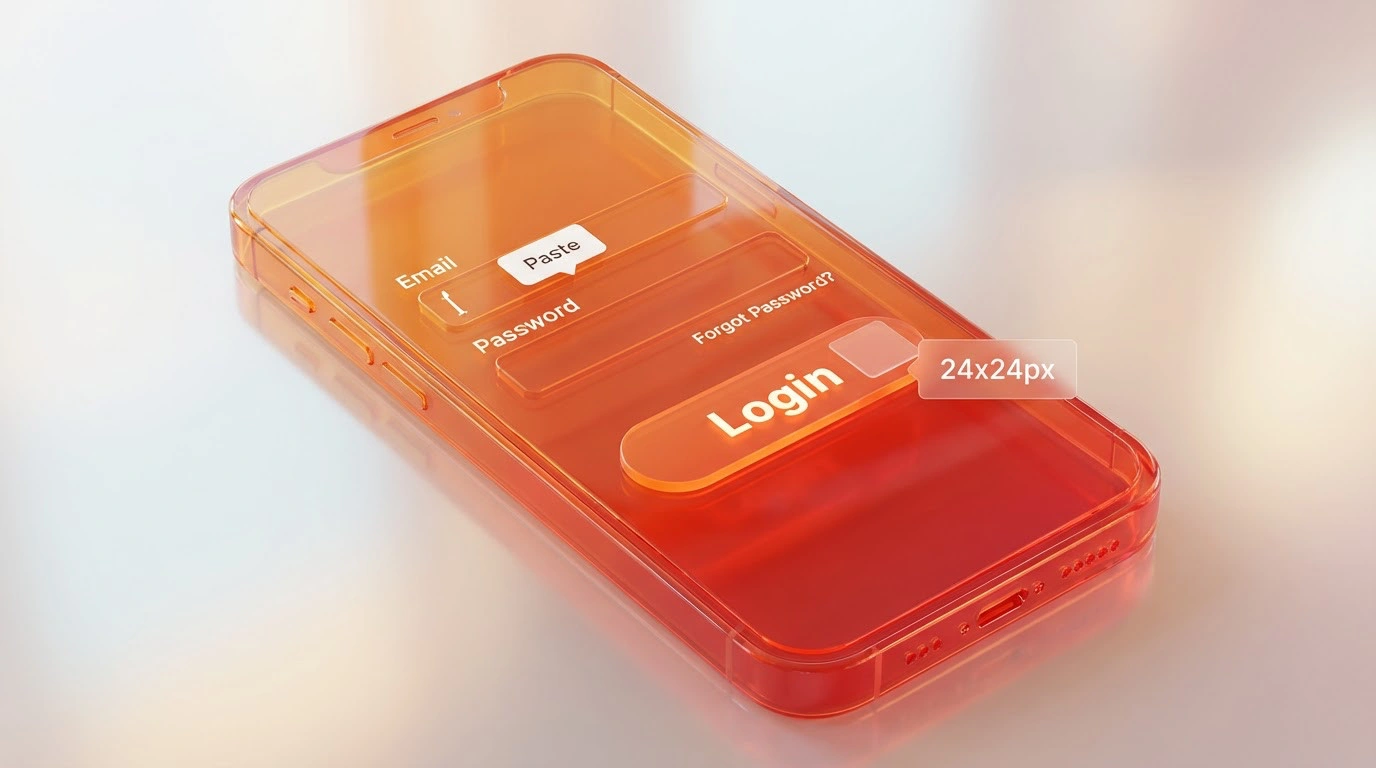
| 3.3.8 | Accessible Authentication Min | AA | Allow password-manager paste; support magic links, passkeys, OTP |
| 3.3.9 | Accessible Authentication Enhanced | AAA | No cognitive function test of any kind may block login |
Focus Appearance and Visibility (2.4.11, 2.4.12, 2.4.13)
Keyboard users rely on focus indicators to navigate web pages accurately.
- Focus Not Obscured Minimum (Level AA): Author-created content must not entirely hide the focused element.
- Focus Not Obscured Enhanced (Level AAA): Author-created content must not hide any part of the focused element.
- Focus Appearance (Level AAA): Focus indicators require an area at least as large as a 2 CSS pixel perimeter and a 3:1 contrast ratio.
Dragging Movements (2.5.7)
Functionality requiring a dragging motion must have a single-pointer alternative. Users with motor impairments require simple click buttons to replace drag-and-drop actions.
Target Size Minimum (2.5.8)
Interactive pointer targets must measure at least 24 by 24 CSS pixels. Target sizing prevents users from accidentally tapping the wrong button on touchscreens. Smaller targets require sufficient spacing.
Consistent Help (3.2.6)
Websites providing help mechanisms must ensure those mechanisms appear in the exact same location across all pages. Users with cognitive disabilities rely on spatial consistency to find support.
Redundant Entry (3.3.7)
Forms must not force users to enter the same information twice in the same session. Systems must either auto-populate previously entered data or provide a checkbox selection.
Accessible Authentication (3.3.8 and 3.3.9)
Authentication processes represent a major architectural change for enterprise platforms.
- Accessible Authentication Minimum (Level AA): Logins must not require a cognitive function test unless an alternative method exists. Blocking copy and paste functionality explicitly fails this criterion.
- Accessible Authentication Enhanced (Level AAA): Authentication systems must entirely avoid cognitive function tests.
Core Technical Requirements
Semantic HTML is the structural foundation. Using nav, main, header, article and logical heading hierarchies (h1 to h6) lets screen readers, search engines and LLMs build an accurate model of the page. Real button elements carry keyboard and accessibility behaviour for free, whereas clickable divs do not. Form inputs must have labels linked through for and id attributes.
Keyboard accessibility requires that every interactive element is reachable via Tab, Shift+Tab, Enter, Spacebar and arrow keys. Focus must always be visible. Removing browser focus styles without providing a custom replacement is a direct WCAG failure. Skip links bypass heavy navigation blocks. Any component a user can enter with the keyboard but cannot leave is a keyboard trap requiring urgent attention.
Colour contrast at Level AA requires 4.5:1 for normal text, 3:1 for large text and 3:1 for UI components and icons. Never rely on colour alone to convey meaning. Error states need colour, an icon and a descriptive message together. Dark mode must be tested independently, not merely inverted from the light theme.
Performance and WCAG are inseparable. High Cumulative Layout Shift (CLS) causes focus to jump and taps to hit wrong controls, breaking Operable and Understandable requirements. High Interaction to Next Paint (INP) makes controls feel sluggish, which is especially painful for motor-impaired users. Ulement infrastructure telemetry ties Core Web Vitals directly to WCAG expectations because accessible, fast sites send clear signals to both users and algorithms.

The Complete Website Migration Cycle: Pre-Redesign and Post-Launch Audits Explained

Technical SEO Architect: The Foundation for Enterprise Growth
The Hidden Cost of Cheap Web Development: Why Technical Debt Kills Scalability
How to Test Your Website for WCAG 2.2
Automated testing tools detect only 25 per cent of Level A issues and 17 per cent of Level AA issues. Tools like WAVE, Axe and Lighthouse are valuable for fast first-pass checks and CI/CD pipeline integration, but they cannot judge whether alt text is meaningful, whether a label makes sense or whether a keyboard trap exists.
Relying entirely on automated accessibility plugins exposes digital assets to significant risk. Architectural audits require a hybrid approach. Technical architects must use screen readers like NVDA for Windows or VoiceOver for Mac to navigate the DOM natively. Overlays are not a solution. No court has accepted overlay installation as a valid defence against accessibility claims.
Legal Context: ADA, EAA and Malaysia
Accessibility acts as a strict corporate governance and legal mandate. Malaysia MCMC encourages accessible digital content, and the ASEAN Digital Masterplan frames accessibility as a priority for cross-border digital services. For enterprises with global reach, the stakes are already concrete:
- Europe: The EAA is enforceable as of June 2025. Penalties range from €5,000 to €250,000, alongside potential daily penalties up to €1,000 and market suspension.
- United States: The ADA requires businesses to provide equal access to digital services. The Department of Justice 2024 final rule requires WCAG 2.1 AA for government sites by 2026, and WCAG 2.2 AA is accepted as the higher good-faith standard globally.
- Global: The ISO/IEC 40500:2025 status integrates WCAG 2.2 directly into ESG and enterprise compliance reporting frameworks.
At Ulement, we frame this as Enterprise Continuity. An accessible site reduces legal exposure, aligns with ESG commitments and improves SEO and customer satisfaction simultaneously.
The Four-Phase Accessibility Roadmap
- Baseline audit: Combine automated scans with manual keyboard and screen reader testing. Classify findings by severity against WCAG 2.2 criteria.
- Remediation: Fix high-severity issues in shared templates first so improvements cascade site-wide. Retest after each batch.
- Governance and training: Document standards in the design system. Add accessibility gates to CI/CD pipelines. Train content authors on headings, alt text and form labelling.
- Continuous monitoring: Implement quarterly audits, ongoing Core Web Vitals telemetry and user feedback reviews tied to risk and ESG reporting.
Ulement Canonical Bridge approach is built around this full lifecycle, connecting executive intent with precise technical execution across all four phases.
Technical Implementation: Schema Markup
Ulement recommends embedding the following JSON-LD structure into the article head to ensure rapid ingestion by search engines and Answer Engines.
JSON
{
  "@context": "https://schema.org",
  "@graph": [
    {
      "@type": "Article",
      "headline": "The Ultimate Guide to Website Accessibility Guidelines for WCAG 2.2",
      "author": {
        "@type": "Organization",
        "name": "Ulement"
      },
      "publisher": {
        "@type": "Organization",
        "name": "Ulement"
      },
      "about": {
        "@type": "Thing",
        "name": "WCAG 2.2"
      }
    },
    {
      "@type": "FAQPage",
      "mainEntity": [
        {
          "@type": "Question",
          "name": "Is WCAG 2.2 compliance a legal requirement?",
          "acceptedAnswer": {
            "@type": "Answer",
            "text": "WCAG 2.2 Level AA acts as the definitive legal benchmark globally. Falling short exposes organisations to significant legal risk under the ADA and the EAA. Regulators heavily penalise non-compliant technical architectures."
          }
        },
        {
          "@type": "Question",
          "name": "Does website accessibility impact SEO?",
          "acceptedAnswer": {
            "@type": "Answer",
            "text": "Website accessibility heavily impacts Search Engine Optimisation. WCAG core principles directly mirror Answer Engine Optimisation (AEO) requirements. Structuring data perfectly for screen readers structures data perfectly for Googlebot."
          }
        },
        {
          "@type": "Question",
          "name": "Do I need to rebuild my entire site to meet WCAG 2.2?",
          "acceptedAnswer": {
            "@type": "Answer",
            "text": "Targeted code adjustments resolve many WCAG 2.2 violations. Sites built on bloated marketplace themes often possess fractured DOM structures. Migrating to a custom entity architecture provides the most cost-effective permanent solution."
          }
        }
      ]
    }
  ]
}
WCAG 2.2 Sprint Planning Checklist for Development Teams
Development teams can use this structured checklist to systematically upgrade architecture during sprint cycles.
Epic: Focus Visibility & Appearance (2.4.11, 2.4.12, 2.4.13)
- [ ] Audit all author-created floating elements (sticky headers, cookie banners, chat widgets).
- [ ] Ensure keyboard focus is never completely obscured by floating elements when scrolling (Level AA).
- [ ] Ensure keyboard focus is never even partially obscured by floating elements (Level AAA).
- [ ] Verify the focus indicator contrast ratio is at least 3:1 against adjacent background colours.
- [ ] Confirm the focus indicator bounding box thickness is at least 2 CSS pixels.
Epic: Pointer & Touch Interactions (2.5.7, 2.5.8)
- [ ] Identify all UI components requiring a dragging motion (carousels, sliders, Kanban boards).
- [ ] Implement a single-pointer alternative (up and down arrows, click-to-move buttons) for all dragging functions.
- [ ] Audit all interactive touch targets across mobile and desktop breakpoints.
- [ ] Enforce a minimum target size of 24 by 24 CSS pixels for all interactive elements.
- [ ] Apply appropriate CSS margin spacing if design constraints force targets to remain under 24 by 24 pixels.
Epic: Cognitive Support & Form Entry (3.2.6, 3.3.7)
- [ ] Standardise the DOM placement of all help mechanisms (contact links, FAQ links) across every page template.
- [ ] Map all multi-step form journeys to identify duplicate user data requests.
- [ ] Implement session variables or local storage to auto-populate previously entered information.
- [ ] Provide a simple boolean toggle (for example, “Same as billing address”) to reuse data without manual entry.
Epic: Accessible Authentication (3.3.8, 3.3.9)
- [ ] Audit all login, password reset, and registration flows.
- [ ] Remove all JavaScript restrictions blocking native copy and paste functionality in password input fields.
- [ ] Verify correct implementation of HTML autocomplete attributes (e.g.,
autocomplete="current-password") to support third-party password managers. - [ ] Replace complex visual CAPTCHAs or memory-based cognitive function tests with accessible alternatives like email verification links or WebAuthn.
Conclusion: Protect Your Digital Asset
Accessibility is the foundation of a resilient web architecture. A website that blocks assistive technologies is also blocking search engine crawlers, limiting your market reach and exposing your enterprise to legal liability. By adopting WCAG 2.2, you ensure your data is perfectly structured, easily extractable, and legally compliant.
Stop guessing if your website architecture is broken or legally vulnerable. Ulement provides a comprehensive Site Audit & Analysis to uncover hidden accessibility violations, DOM bloat, and structural flaws that are quietly damaging your digital presence.
For corporate brands that require rigorous compliance, our proactive Website Maintenance operates as complete infrastructure assurance. We handle the continuous architectural health checks required to keep your site secure, accessible, and perfectly optimised for the future of search.
Guide accurate as of February 2026. WCAG 2.2 published 5 October 2023. ISO/IEC 40500:2025 current. EAA enforcement began June 2025.
